All posts tagged: Desktop

Apple’s Next Desktop Macs May Arrive Later Than Expected

Apple’s Next Desktop Macs May Arrive Later Than Expected

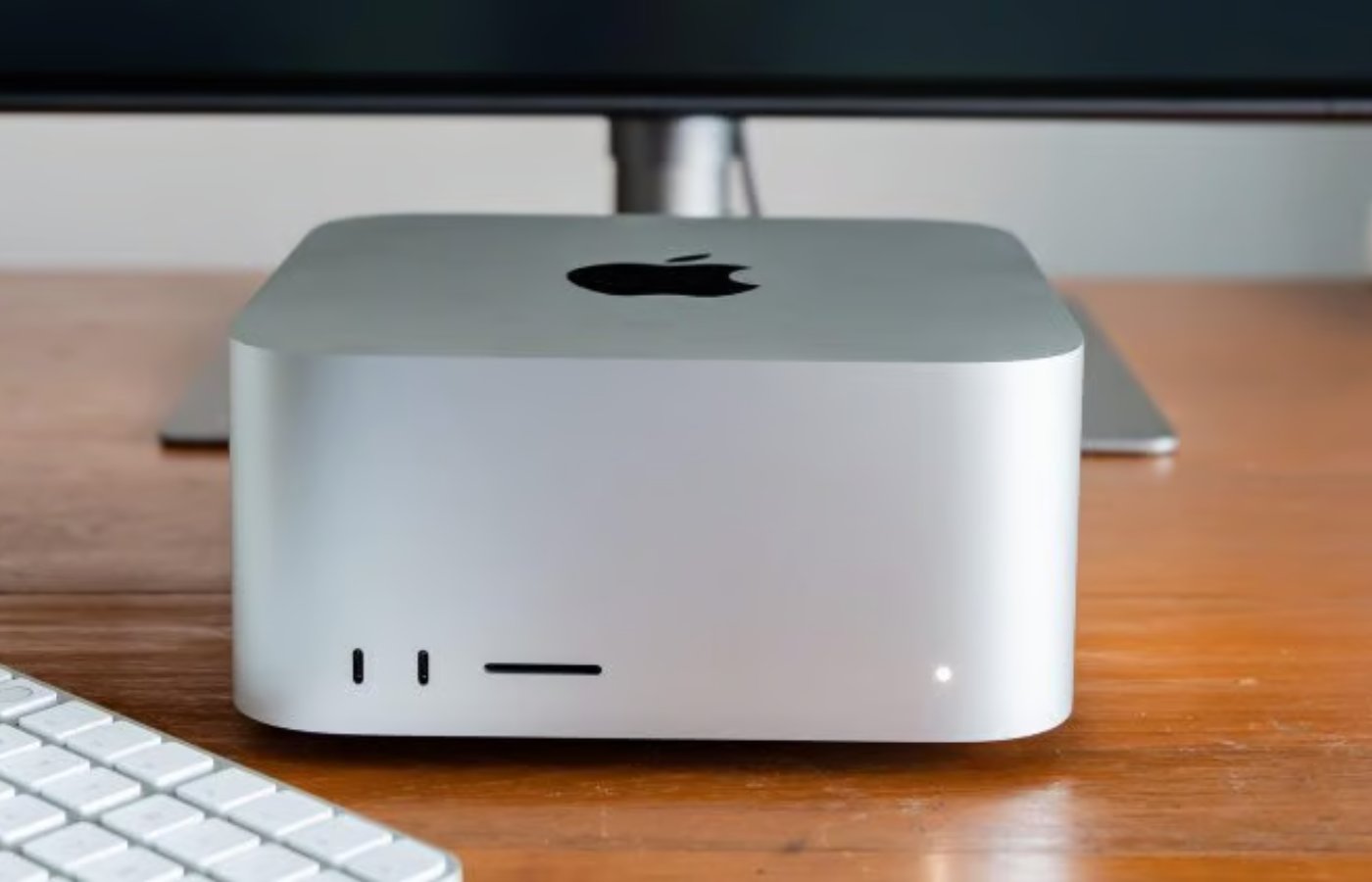
As Apple prepares for its Worldwide Developers Conference (WWDC), speculation continues over whether the company could unveil new Mac Studio and Mac mini models powered by its upcoming M5 chips. While most expectations point to a software-focused event, mounting supply shortages and unusually strong demand for Apple’s desktop Macs have fueled renewed discussion about when M5-powered versions could arrive. According to 9to5Mac, many Mac Studio and Mac mini configurations are currently heavily backordered, leading some observers to wonder whether Apple is clearing the runway for refreshed models. Earlier expectations suggested that M5 versions of both machines could launch around midyear, making a WWDC debut possible. However, recent supply chain challenges have complicated that outlook. AI boom creates unexpected demand Apple says the shortages are not simply the result of production issues. During the company’s quarterly earnings call, CEO Tim Cook said demand for the Mac mini and Mac Studio has exceeded internal forecasts as more customers turn to these machines for artificial intelligence workloads. “Both of these [mini and Studio] are amazing platforms for AI …

This ,400 Steam Machine alternative houses a tiny desktop GPU

This $1,400 Steam Machine alternative houses a tiny desktop GPU

What if Valve’s Steam Machine were a 3.8-liter tower instead of a 3.8-liter cube, with a desktop-grade Nvidia RTX 5060 GPU instead of an AMD RX 7600 — plus a more powerful CPU and many faster ports? Well, it’d cost you nearly $1,500 and be called the Minisforum AtomMan G1 Pro. Minisforum is one of the only companies shipping such powerful discrete GPUs in mini-PCs, and its earlier AtomMan G7 PT is the closest thing anyone’s sold to Valve’s own spec. But the new G1 Pro might be a better competitor now it’s got an integrated power supply (like Valve) and even beefier components. The most surprising feature is a full but lilliputian desktop graphics card — look how cute it is in the render below! — that fits into the top of the chassis. (Minisforum doesn’t claim it’s upgradable, just FYI, but does boast that it offers the full 145W of power you’d get in other desktop 5060 cards.) And, in “Beast Mode,” Minisforum says it can drive the AMD Ryzen 9 8945HX CPU …

Windows 11’s Vision Pro-like remote desktop is now widely available on Quest 3

Windows 11’s Vision Pro-like remote desktop is now widely available on Quest 3

After downloading Mixed Reality Link on a Windows computer, Quest 3 and 3S wearers can look at their keyboard and select “pair” to view and interact with their desktop display from their headset. Meta notes that you can either immerse yourself in your virtual desktop or use passthrough so that you can still see your surroundings. Aside from this update, Meta is also rolling out the ability to rescale and resize displays across all apps, as well as a Full Passthrough feature to quickly check the environment around you by double-tapping on the side of your headset or clicking the action button on the Meta Quest 3S. You can now open up to 12 apps at once, too. Disclaimer: We do not own any of the content, ideas, images, or text presented here. All rights belong to their respective owners. For more information and to view the original source, please visit the following link: Source link

Google teases an Android desktop mode, made with Samsung’s help

Google teases an Android desktop mode, made with Samsung’s help

Google is working with Samsung to bring a desktop mode to Android. During Google I/O’s developer keynote, engineering manager Florina Muntenescu said the company is “building on the foundation” of Samsung’s DeX platform “to bring enhanced windowing capabilities in Android 16,” as spotted earlier by 9to5Google. Samsung first launched DeX in 2017, a feature that automatically adjusts your phone’s interface and apps when connected to a larger display, allowing you to use your phone like a desktop device. A demo during the presentation revealed a Samsung DeX-like layout, with apps like Gmail, Chrome, YouTube, and Google Photos centered in the taskbar at the bottom of the screen. It also showed how Android 16’s adaptive apps can move and stretch across the screen. The time sits at the top-left corner of the screen, with the Wi-Fi signal and battery on the right. Disclaimer: We do not own any of the content, ideas, images, or text presented here. All rights belong to their respective owners. For more information and to view the original source, please visit the …

Android Desktop Mode to Reportedly Debut With Android 17 on Pixel; May Offer Multitasking Capabilities

Android Desktop Mode to Reportedly Debut With Android 17 on Pixel; May Offer Multitasking Capabilities

Google has been rumoured to be developing a new dedicated first-party desktop mode for Android phones and tablets for years now, and it may be closer to launch than ever before. As per a new leak, the feature, dubbed Android Desktop Mode, was previously expected to arrive with Android 16 this year but may now see its release with Android 17. It is speculated to offer capabilities similar to Samsung DeX and Motorola Connect, enabling users to resize windows and quickly transition between a mobile and desktop interface. Android Desktop Mode Launch Tipster Mishaal Rahman revealed details about the Android Desktop Mode in a recent livestream on X (formerly Twitter). The new desktop experience may enable users to take advantage of larger screens via their phone. When the phone, specifically a Pixel, is connected to an external display such as a laptop via USB Type-C, it could offer a desktop-style interface. The Android Desktop Mode is said to offer multitasking capabilities with the ability to resize windows and move them around. Further, there may also …

Android’s next big feature turns your phone into a desktop

Android’s next big feature turns your phone into a desktop

A beta build of Android 16 contains an early version of Google’s new Android Desktop Mode that, in the future, could let users simply plug their smartphone into a monitor and use it like a laptop or desktop computer. The new feature was shared by Android tinkerer Mishaal Rahman reporting for Android Authority. Rahman manually enabled Android Desktop Mode under developer options on his Google Pixel 8 Pro running the latest Android 16 beta. After plugging it into a USB-C compatible monitor, it immediately displays a PC-like interface on the external display, as you can see as in his video: Android Desktop Mode puts Android’s status bar on the top so you can see your Wi-Fi and signal strength, and there’s a taskbar on the bottom that lets you pin apps for easy access. The taskbar also gives you a Windows Start Menu–style app drawer, and you get access to Android’s native navigation buttons on the right end of the taskbar. Apps run in windowed modes that look a lot like the experience on Android …

Revisiting Windows 1.0: how Microsoft’s first desktop gracefully failed

Revisiting Windows 1.0: how Microsoft’s first desktop gracefully failed

Editor’s note: Ahead of Microsoft’s 50th’s anniversary, we’ve fixed the layout on this story — which we originally published in 2012 when Windows 8 launched. Now’s a good time to revisit our look at an operating system that helped shape personal computing over the years. Two years ago today, when Windows 1.0 celebrated its 25th birthday, we didn’t yet know what the future of Windows would hold. Now that Windows 8 is on the market, the original is more relevant than ever before. Today, Windows 1.0 turns 27, and despite the many ways computing has changed since its debut, the two operating systems have some surprising similarities. Let’s take a look at just how far we’ve come since Windows 1.0… and where Microsoft is retracing its own footsteps with the latest version of Windows. On November 10th, 1983, Microsoft announced Windows. For $99, it came with a notepad, calendar, clock, cardfile, terminal application, file manager, a game of Reversi, Windows Write, and Windows Paint. The original press materials, prepared using Windows Write, had this quote …

Microsoft Testing a Free, Ad-Supported Version of Microsoft 365 Desktop Apps

Microsoft Testing a Free, Ad-Supported Version of Microsoft 365 Desktop Apps

Microsoft is testing an ad-supported free tier for the Microsoft 365 Copilot or Office apps. Typically, these apps are only accessible to those who purchase the Microsoft 365 subscription. However, some users are now seeing an option to opt for a free version that offers limited features and ads. Currently, the Redmond-based tech giant is only offering three apps, Word, Excel, and PowerPoint in this tier. As per a report, the company is not looking to launch this new tier, and is only conducting a limited test in some regions. Microsoft Offers Ad-Supported Free Version of Office Apps to Some Users Gadgets 360 staff members spotted this free, ad-supported tier of Microsoft 365 on their PCs on Monday. The plan appears when a user clicks on the “Buy Microsoft 365” button placed on top of the Office apps. Usually, this opens a pop-up window that shows the different subscription plans. However, currently, a “Try Microsoft 365 for free” message appears, showing the free tier. The ad-supported, free tier of Microsoft 365   Normally, once the …

Google Photos for Android Adds Option to Flip Images; Dark Mode for Desktop Reportedly Rolled Out

Google Photos for Android Adds Option to Flip Images; Dark Mode for Desktop Reportedly Rolled Out

Google Photos for Android is rolling out a new functionality which lets users create mirror images, the company announced on Wednesday. It is added to the in-built editor on the app and enables image flipping natively. The feature is speculated to prove useful especially when taking selfies with the Android phone’s front-facing camera where the text is usually mirrored and unreadable. Additionally, Google Photos is also reported to be finally rolling out a dark mode appearance for its desktop version. Image Mirroring on Google Photos Google has updated its support page with the announcement that users can now mirror their photos in the Photos app. It is currently only available on the Android version of the app. By allowing users to flip an image using the in-built editor, it potentially negates the need to use a third-party image editor for the same. To mirror an image, users need to: Open the Google Photos app. Tap the Edit icon and then Crop. Tap the flip icon and select Save. Option to Flip Images in Google Photos …