All posts tagged: Microsoft

‘Boss scam’: How a Microsoft Teams message almost cost a Pune firm Rs 2 cr | Pune News

‘Boss scam’: How a Microsoft Teams message almost cost a Pune firm Rs 2 cr | Pune News

4 min readPuneJul 19, 2026 06:20 PM IST When the chief financial officer (CFO) of an Italian engineering company in Pune received a message from its chief executive officer (CEO) on Microsoft Teams, her immediate response was to do as asked—transfer Rs 56 lakh to two accounts. But when the second direction came the next morning—to urgently transfer Rs 1.5 crore—things did not feel right for her. A timely check then limited the financial loss to Rs 56 lakh. The Italy-headquartered firm was targeted in a whale phishing attack—or what the Securities and Exchange Board of India (Sebi) calls the “boss scam”. The Pimpri-Chinchwad police have launched an investigation. As per the FIR registered at the cybercrime police station, the 49-year-old CFO was working from home on the morning of July 13 when she received a message from a profile carrying the name and photo of the firm’s Italian CEO. The message said the CEO was busy with a government project and that Rs 56 lakh needed to be transferred to two accounts. She grew …
Own Windows 11 Pro and Microsoft Office 2024 for just

Own Windows 11 Pro and Microsoft Office 2024 for just $95

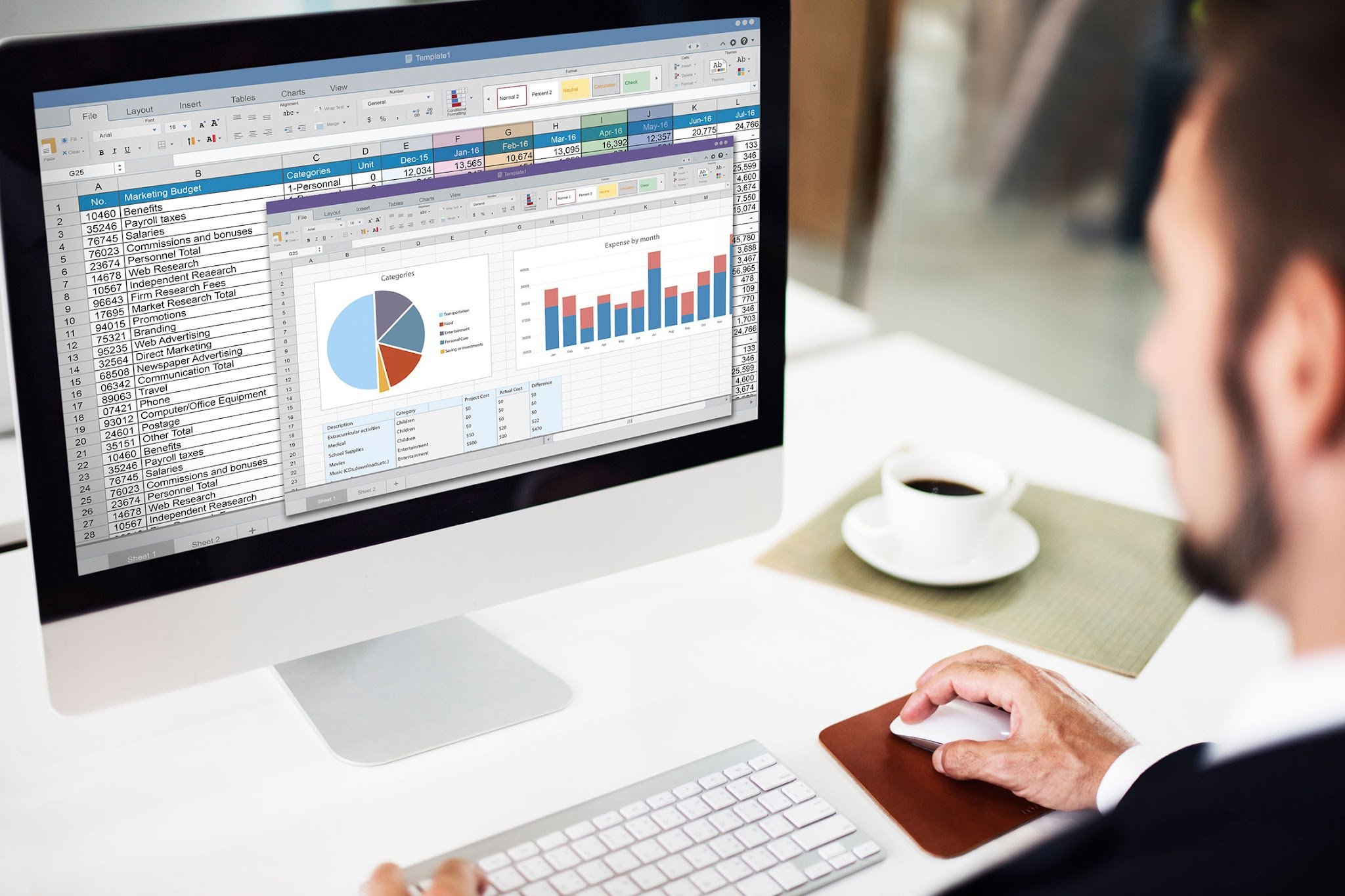
TL;DR: Get Microsoft Office 2024 Home & Business plus Windows 11 Pro for a one-time purchase of $94.97 (reg. $448.99) and standardize a work-ready setup with essential apps and OS included. Managing a mix of software licenses, expiring subscriptions, and mismatched systems can slow teams down more than the work itself. This Microsoft Office 2024 Home & Business + Windows 11 Pro bundle offers a way to simplify that environment. Right now, it is on sale for $94.97 (reg. $448.99), combining core business apps with a professional operating system in one purchase. A complete setup for everyday work This bundle includes the Home and Business version of Office 2024 for Mac or PC, including Word, Excel, PowerPoint, and Outlook. These tools can help unlock your potential and boost productivity whether you or your employees are drafting proposals and contracts in Word, managing budgets and forecasts in Excel, building presentations in PowerPoint, or coordinating communication through Outlook. Windows 11 Pro supports these workflows with built-in security features, device management capabilities, and a stable operating system designed …

New Windows Zero-Day Claims BitLocker Bypass Amid Microsoft Disclosure Fight

New Windows Zero-Day Claims BitLocker Bypass Amid Microsoft Disclosure Fight

A new Windows zero-day has turned BitLocker, one of Microsoft’s most trusted data-protection features, into the center of another disclosure fight. The Register’s Jessica Lyons broke the news that security researcher Nightmare Eclipse released exploit code for a claimed BitLocker bypass called GreatXML, which the researcher says can spawn a command prompt with broad access to a protected BitLocker volume. The release followed another zero-day, RoguePlanet, which SecurityWeek reported could exploit a Microsoft Defender race condition to gain SYSTEM-level privileges. The bigger concern for Windows admins is not just one bug. It is the pace of public exploit drops, the uncertainty around Microsoft’s response, and the widening gap between responsible disclosure norms and what is now unfolding in public. What GreatXML claims to do According to The Register, Nightmare Eclipse claimed GreatXML can bypass BitLocker on systems that have previously run a Microsoft Defender Offline scan. The researcher reportedly published exploit code on GitHub and another Git-based platform, describing the bug as an “accidental discovery.” The claimed attack involves copying specific files to the recovery …

Microsoft 365 Android Apps Had a Token Flaw IT Teams Should Check Now

Microsoft 365 Android Apps Had a Token Flaw IT Teams Should Check Now

A debug flag left active in production code allowed another installed app on the same Android device to request Microsoft account tokens from Word, Excel, PowerPoint, OneNote, Microsoft Loop, and Microsoft 365 Copilot for Android without user interaction, according to research Enclave publicly disclosed on June 2, 2026. Microsoft patched the flaws and issued CVEs on May 12, 2026, but the technical details became public on June 2, when Enclave published its research and SecurityWeek reported on the findings. Microsoft Teams was not affected, and no in-the-wild exploitation has been publicly confirmed, but the disclosure gives IT teams a fresh reason to verify Android app updates and review Microsoft 365 mobile app governance. How the Android token flaw worked Microsoft 365 apps on Android share authentication tokens so users do not have to sign in again when moving from Word to Excel or PowerPoint. That handoff should stay within trusted Microsoft apps. The issue also comes as Microsoft is expanding its Android-based enterprise ambitions with Project Solara, making mobile trust boundaries more important for IT …

Microsoft Project Solara Brings AI Agents to Enterprise Devices

Microsoft Project Solara Brings AI Agents to Enterprise Devices

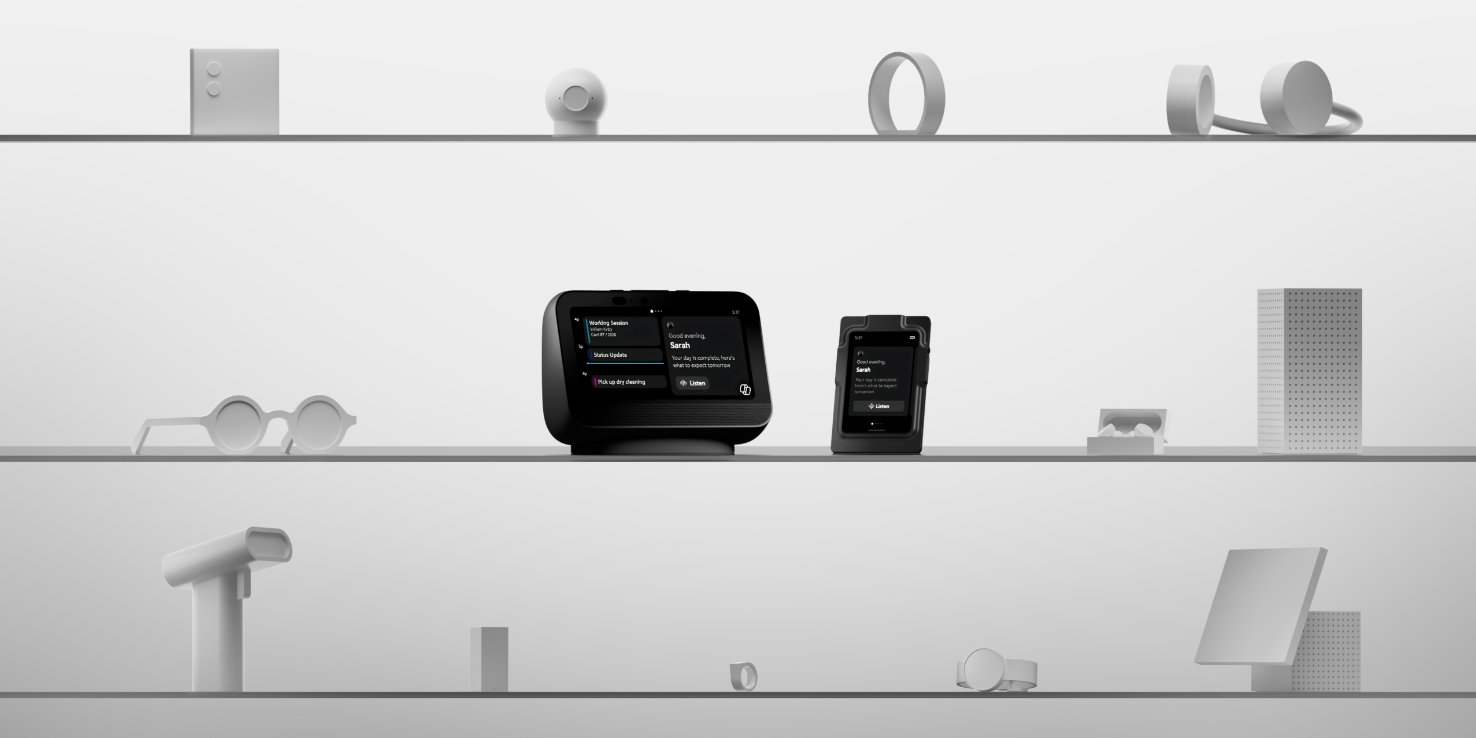
Microsoft used Build 2026 to preview Project Solara, an early platform for enterprise devices built around AI agents instead of conventional apps. The concept is not a finished Microsoft gadget or a product ready for procurement. It is a look at how AI agents could move into managed workplace devices with identity controls, cameras, microphones, cloud services, and enterprise security requirements built in from the start. What Project Solara is Microsoft describes Project Solara as a “chip-to-cloud” platform for agent-first experiences. Rather than focusing on traditional applications, Solara is designed for devices that enable users to interact with AI agents across workplace workflows, data, and services. Solara is built on Microsoft Device Ecosystem Platform, or MDEP, an Android Open Source Project-based platform for device makers and software developers. That makes Solara different from Windows-based AI experiences, even as Microsoft continues to add more agent capabilities to Windows and developer tools across Build 2026. Microsoft says Solara is being designed for a multiple-agent world, including Microsoft agents as well as agents that organizations build or source …

Microsoft Tests Wearable AI Badge for Work

Microsoft Tests Wearable AI Badge for Work

Microsoft is experimenting with AI hardware that office workers could wear like an access badge. At Microsoft Build 2026, the company showed two Project Solara concept devices. One is a small desk display, and the other is a wearable AI badge for office workers who use agents during the day. The badge includes a touch screen, camera, and fingerprint scanner, while the desk device can surface Microsoft 365 information and respond to voice input. Microsoft shows AI devices for agent-based work Microsoft described Project Solara as a “chip-to-cloud platform” designed for “agent-first experiences” and new device form factors. The company said the platform is meant to support devices that bring agents into workplace tasks, environments, and workflows. The wearable badge is roughly the size of an office access card. It can be worn on a lanyard or clipped to clothing. In a Build demonstration, Microsoft executive Steven Bathiche activated the badge with a fingerprint and asked it to take photos of the audience and send them for review. The camera lets agents “better understand and …

Microsoft Unveils AI-Powered Windows Features for Developers

Microsoft Unveils AI-Powered Windows Features for Developers

Windows is getting a major developer-focused upgrade as Microsoft doubles down on AI, agents, and local computing. Microsoft used its Build 2026 event to position Windows as a more flexible and developer-friendly platform, especially for people working across local machines, cloud environments, and AI systems. According to Pavan Davuluri, executive vice president of Windows + Devices, the goal is to reduce friction and make development feel more natural across different tools and platforms. He emphasized that feedback from developers has shaped the latest direction of Windows 11, particularly around performance, security, and flexibility. A faster setup for Windows 11 development One of the most practical updates is a redesigned developer experience on Windows 11 aimed at getting machines ready to code faster. Microsoft introduced Windows Developer Configurations, a one-command setup powered by WinGet that installs and configures essential tools like Git, PowerShell 7, WSL, Visual Studio Code, and GitHub CLI. The company says it also applies developer-focused system settings to reduce setup time and distractions. Alongside this, Coreutils for Windows is now generally available, bringing Linux-style …

Microsoft Teams File Outage Resolved, but IT Teams Still Need to Check Fallbacks

Microsoft Teams File Outage Resolved, but IT Teams Still Need to Check Fallbacks

A Microsoft Teams file outage on June 1 has been resolved, but IT teams still have cleanup work to do. The incident blocked some users from opening files in Teams and Office for the web, disrupting access to documents used across Microsoft 365 workflows. Microsoft later said service was restored, but had not publicly explained the root cause as of June 2, according to a Microsoft advisory. Administrators should confirm tenant impact, document the outage window, and test fallback paths for critical files. What Microsoft confirmed The incident was logged under Microsoft 365 admin center reference MO1329446. Microsoft investigated file-access failures in Office for the web and Teams, with affected apps including Excel for the web and PowerPoint for the web, reported by BleepingComputer. Impacted users saw the error: “Office Online services aren’t available right now. We’re working to restore all services as soon as possible,” according to the same advisory. Microsoft did not specify affected regions or tenant scope. Its initial analysis pointed to “a potential cross-service issue impacting Office for the web experiences,” …

Australian banks warned frontier AI could create larger, faster cyber attacks | Technology News

Australian banks warned frontier AI could create larger, faster cyber attacks | Technology News

3 min readApr 30, 2026 10:00 AM IST Australia’s financial system regulator said on Thursday the country’s banks were not keeping pace with AI industry developments, warning frontier AI systems such as Anthropic’s Mythos had the potential to lead to larger and faster cyber attacks. In a letter to banks, the Australian Prudential Regulation Authority (APRA) said most of the ⁠industry’s ​information security practices were struggling to match the rate of change in AI. The regulator said the speed of AI development could pose a growing threat to Australia’s financial services. “It also warns frontier AI models such as Anthropic’s Claude Mythos, which could enhance the discovery of vulnerabilities by bad ​actors, ​are expected to further increase the probability, speed and ⁠scale of cyber attacks,” APRA said in a statement referencing a review that it had conducted. Anthropic did not immediately respond to a ‌Reuters request for comment. Potential risks posed by Mythos, which has high-level coding capabilities, have given it a potentially unprecedented ability to identify cybersecurity vulnerabilities, experts have warned. Anthropic has launched …

Anthropic introduces Claude AI integration for Microsoft Word users | Technology News

Anthropic introduces Claude AI integration for Microsoft Word users | Technology News

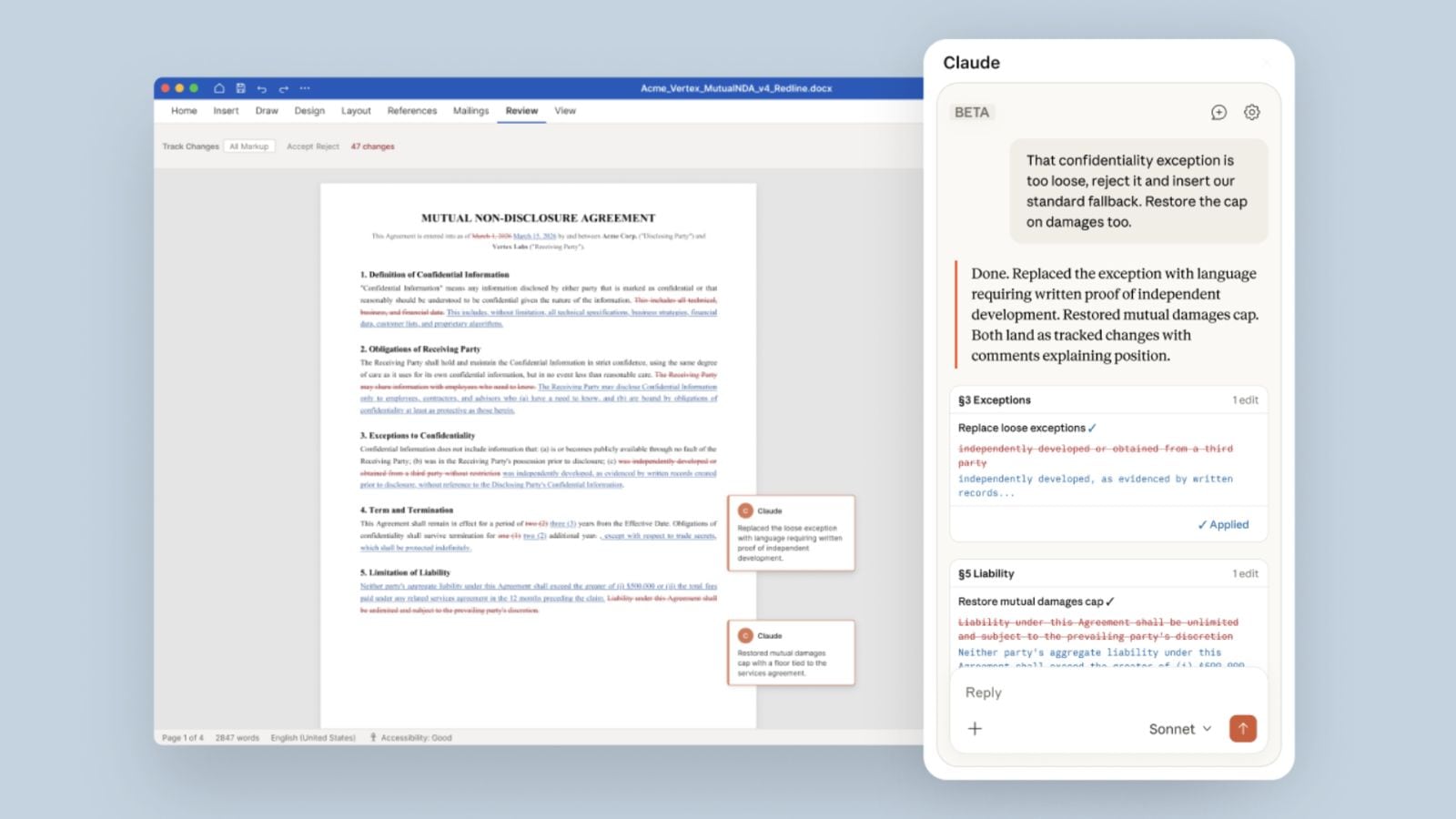
2 min readNew DelhiApr 13, 2026 01:10 PM IST Microsoft Word users may soon be able to use Claude’s AI capabilities to review, redline, and draft documents within the popular word processing programme. The beta version of Claude for Word was rolled out by Anthropic on Saturday, April 11. The purpose-built AI integration is “designed for professionals who work extensively with documents, particularly in legal review, financial memo drafting, and iterative editing,” Anthropic said. With Claude for Word, users can ask questions about their documents and receive AI-generated answers with clickable section citations. The latest Word add-in also enables capabilities such as editing selected text while preserving surrounding styles, numbering, and formatting. It also offers a ‘tracked changes mode’ that allows users to accept or reject every edit as a revision, as per the company. In its announcement blog post, Anthropic provided examples of prompts that could be used by lawyers to review a legal contract in Word. Claude for Word is currently available only to Team and Enterprise plans. It marks yet another potential …